WPS Productivity Hacks You Should Know
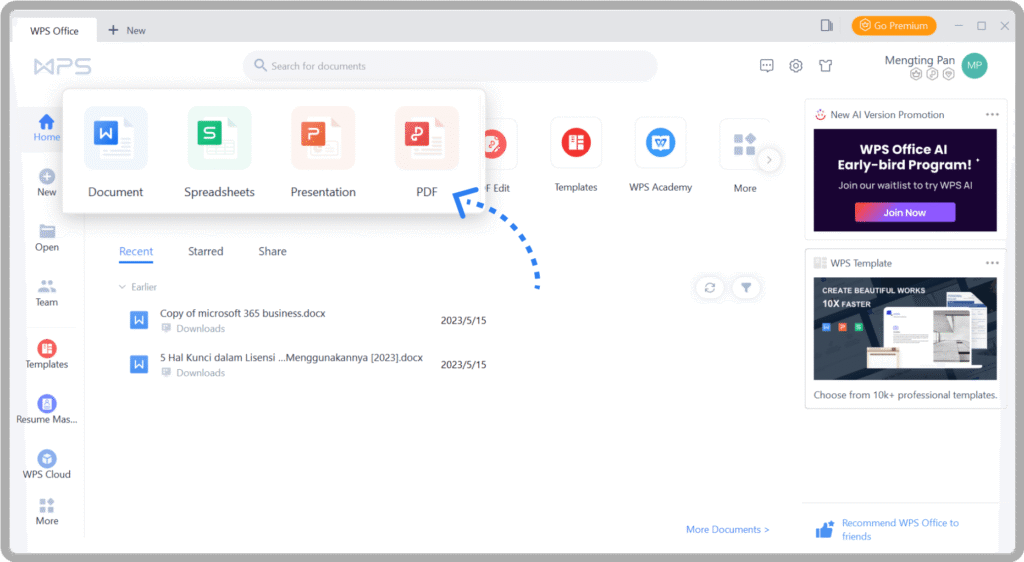
In today’s fast-paced digital world, efficiency is everything. Whether you are a student, a professional, or someone managing a small business, streamlining your workflow can save precious hours every day. One tool that has steadily gained recognition for its versatility and ease of use is WPS. Packed with features that rival major office suites, WPS not only simplifies document creation but also enhances productivity through smart hacks and hidden functionalities. In this article, we will explore several WPS productivity hacks that can transform the way you work.
Mastering Templates and Pre-Designed Layouts
One of the quickest ways to save time in WPS is by using templates. WPS offers a rich library of templates for documents, presentations, and spreadsheets. Instead of starting from scratch, users can choose a professional design, input their content, and finalize their work in a fraction of the time. For example, business reports, resumes, and marketing proposals all have pre-designed templates that maintain consistency and professional aesthetics.
Additionally, customizing templates is effortless. You can save a frequently used format as a personal template, ensuring that every future document follows your preferred style. This reduces the time spent on formatting and helps maintain a uniform look across all your work.
Keyboard Shortcuts to Accelerate Your Workflow
Efficiency is often about minimizing clicks and navigating software quickly. WPS provides a range of keyboard shortcuts that allow users to perform complex tasks with just a few keystrokes. Common shortcuts like Ctrl+C for copy and Ctrl+V for paste are standard, but WPS also includes lesser-known shortcuts that boost productivity.
For instance, pressing Ctrl+Shift+C copies formatting from one section to another, while Ctrl+Shift+V applies it elsewhere. Similarly, pressing F12 opens the “Save As” dialog box instantly. Learning these shortcuts can dramatically reduce the time spent on repetitive actions and make working in WPS faster and more fluid.
Harnessing the Power of PDF Tools
Many users underestimate WPS’s PDF capabilities, but these tools are powerful productivity enhancers. WPS allows users to convert Word documents to PDF and vice versa without losing formatting. Beyond conversion, WPS provides editing options directly in PDF files, such as annotating, adding text, and inserting images.
For professionals handling contracts or reports, this eliminates the need for additional software, consolidating multiple functions into one platform. A simple PDF hack in WPS is using the “Split and Merge” feature, which allows combining multiple documents into a single file or separating pages efficiently. This capability is especially useful for preparing reports or managing large sets of documents.
Advanced Spreadsheet Features for Quick Calculations
WPS Spreadsheets is another area where productivity hacks shine. Users can take advantage of functions, formulas, and data visualization tools to perform complex calculations quickly. Beyond the basics, conditional formatting highlights critical data automatically, making it easier to spot trends or issues without manually scanning through cells.
PivotTables are another hidden gem in WPS. They allow users to summarize large datasets with minimal effort. For example, a business tracking sales across multiple regions can instantly generate summaries and comparisons, saving hours of manual work. Combining these features with keyboard shortcuts for navigating and editing spreadsheets amplifies efficiency further.
Collaboration Made Easy
Modern productivity relies heavily on collaboration, and WPS offers multiple features to streamline teamwork. Real-time collaboration allows multiple users to work on the same document simultaneously, making remote teamwork more effective. Comments and annotations enable colleagues to provide feedback without altering the original content.
Another productivity hack is using cloud storage within WPS. Documents saved on WPS Cloud are accessible from any device, meaning you can work seamlessly between your desktop, tablet, or smartphone. This ensures that time is not wasted transferring files via email or USB drives, enhancing both convenience and workflow efficiency.
Quick Formatting and Styles
Consistent formatting is key to professional-looking documents, but manually applying styles can be tedious. WPS solves this problem with its style features. By defining custom styles for headings, paragraphs, and tables, users can instantly apply uniform formatting across the entire document.
A handy productivity tip is to use the Format Painter tool in WPS. This tool allows you to copy formatting from one section and apply it to another with a single click, saving time on repetitive formatting tasks. Combining styles with the Format Painter ensures that your documents are both visually appealing and consistent without additional effort.
Efficient Use of Notes and Outlines
Planning and organization are crucial for productivity, and WPS provides tools to streamline these processes. In WPS Writer, the Outline feature helps structure large documents efficiently. You can collapse sections, rearrange headings, and navigate through lengthy documents quickly, making editing more manageable.
Additionally, WPS Notes allow users to jot down quick ideas or reminders while working on documents. Keeping notes organized within WPS prevents workflow interruptions caused by switching between multiple apps. This integration of note-taking and document editing is a simple but effective productivity booster.
Automating Repetitive Tasks
Automation is a hallmark of productivity, and WPS offers features to reduce repetitive work. For instance, macros in WPS allow users to record sequences of actions and play them back with a single command. Tasks such as formatting, inserting standard text blocks, or running calculations can be automated, freeing up time for more critical work.
Furthermore, WPS supports mail merge, enabling users to create personalized letters, labels, or emails from a single template and a database. This is invaluable for marketing campaigns or administrative tasks, where large volumes of personalized communication are required.
Leveraging Presentation Tools
For those creating presentations, WPS Presentation comes with features designed to boost efficiency. Templates, slide masters, and predefined animations reduce the time spent on designing slides. The “Reuse Slides” feature allows importing slides from previous presentations, saving effort on recreating commonly used content.
A productivity hack is to use the “Notes” section in WPS Presentation. Instead of crowding slides with text, you can place additional information in notes for reference during presentations. This keeps slides clean and helps presenters communicate more effectively.
Integration With Other Apps
Finally, WPS is designed to integrate smoothly with other tools and applications, which further enhances productivity. Compatibility with Microsoft Office formats ensures that you can collaborate with users on different platforms without worrying about file compatibility issues.
In addition, WPS supports cloud storage services like Google Drive, Dropbox, and OneDrive, enabling seamless file management across platforms. Using these integrations wisely allows users to keep all work in one place, automate backups, and access documents on the go, which is a subtle but powerful productivity advantage.
Conclusion
WPS is more than just an office suite; it is a productivity powerhouse packed with features designed to save time, enhance efficiency, and simplify work processes. By mastering templates, keyboard shortcuts, PDF tools, spreadsheets, collaboration features, formatting styles, notes, automation, presentation tools, and integrations, users can significantly boost their productivity. These hacks are not just tips—they are practical strategies to transform how you work in WPS, making tasks faster, smarter, and more organized.
Embracing these WPS productivity hacks can reduce repetitive work, streamline collaboration, and ultimately give you more time to focus on meaningful tasks. Whether you are drafting reports, analyzing data, preparing presentations, or managing documents, WPS equips you with the tools to work smarter and accomplish more every day.